Category: Digital Marketing for Ecommerce

  • Scaling Meta Ads Beyond ₹1L/Day: When ROAS Drops and What to Do

    Scaling Meta Ads Beyond ₹1L/Day: When ROAS Drops and What to Do

    Why ROAS Drops When You Scale

    At ₹30K/day, your ads are shown to the most responsive 2-3% of your target audience. When you increase to ₹1L/day, Meta has to reach less responsive audiences to spend your budget. Result: higher CPM, lower CTR, lower conversion rate.

    This is normal. The question isn’t ‘how to maintain ROAS at scale’ — it’s ‘how to scale profitably despite lower ROAS.’

    The Scaling Framework

    Rule 1: Scale Spend, Not ROAS

    Target metric shifts at scale:

    Daily SpendTarget ROASWhy
    Under ₹10K5-8xSmall audience, easy to be efficient
    ₹10K-30K3.5-5xStill targeting responsive audiences
    ₹30K-1L2.5-4xBroader reach, lower efficiency is expected
    ₹1L-3L2-3xSignificant broad reach. Focus on total profit, not ROAS.
    ₹3L+1.8-2.5xEnterprise scale. Brand building + direct response.

    Key insight: ₹1L/day at 2.5x ROAS = ₹2.5L revenue = ₹1.5L gross margin. ₹30K/day at 5x ROAS = ₹1.5L revenue = ₹90K gross margin. Lower ROAS, higher absolute profit.

    Rule 2: Scale Budget 20% Every 3-5 Days

    • Never double budget overnight — this resets the learning phase
    • Increase by 15-20% every 3-5 days
    • If performance dips after increase, hold budget steady for 5 days before making changes
    • Only scale winning ad sets — don’t spread budget to underperformers

    Rule 3: Horizontal Scaling > Vertical Scaling

    • Vertical scaling = increasing budget on existing ad sets. Works until ₹30-50K/day per ad set.
    • Horizontal scaling = duplicating winning ad sets with different audiences, creatives, or placements. Works beyond ₹50K/day.
    • At ₹1L+/day, you should have 3-5 active campaigns with 2-4 ad sets each, not one mega campaign.

    Rule 4: Creative Volume Is the #1 Scaling Lever

    • At ₹1L+/day, you need 15-20 new creatives per week entering your testing pipeline
    • Winning creatives fatigue faster at high spend (2 weeks vs 4 weeks at lower spend)
    • Diversify creative formats: UGC, founder videos, product demos, carousels, static
    • The brand that produces the most quality creative wins at scale

    The Scaling Checklist

    1. ☐ Current ROAS is profitable at current spend for 2+ weeks
    2. ☐ At least 5 proven winning creatives in rotation
    3. ☐ 10+ new creatives ready for testing pipeline
    4. ☐ Retargeting audiences are large enough (10K+ website visitors in last 30 days)
    5. ☐ Conversion tracking is accurate (Pixel + CAPI verified)
    6. ☐ Landing pages are optimized (sub-3-second load time)
    7. ☐ Checkout conversion rate is above 2%
    8. ☐ Budget increase plan: 20% every 3-5 days

    When NOT to Scale

    • If you don’t have new creatives ready — Scaling without fresh creative = accelerated fatigue = rapid ROAS decline.
    • If your website can’t handle more traffic — Slow site at higher traffic = worse conversion = wasted ad spend.
    • If your operations can’t handle more orders — Scaling ads before scaling operations = shipping delays = bad reviews = long-term damage.
    • During festive season CPM spikes — Scale during normal periods when CPMs are 30-40% lower. Maintain (don’t increase) during festive peaks.

    Need Help Scaling Ads?

    At Growww Tech, we scale Meta and Google ad campaigns for Indian D2C brands — from ₹10K/day to ₹3L+/day. Let’s scale your ads profitably.

    Related reading:

  • Social Commerce in India: 15% of Ecommerce and Growing — Are You Missing Out?

    Social Commerce in India: 15% of Ecommerce and Growing — Are You Missing Out?

    Social Commerce: The Numbers

    Social commerce in India:

    • $7 billion market in 2026 — 15% of total Indian ecommerce
    • Growing 35-40% YoY — faster than marketplace ecommerce
    • Primary channels: WhatsApp (45%), Instagram (30%), Facebook (15%), Live commerce (10%)
    • Average conversion rate: 8-12% (vs 1-3% on websites) — because it’s conversation-driven

    Why Social Commerce Converts Better

    • Trust through conversation — Chatting with a real person (or a good chatbot) before buying builds confidence
    • No checkout friction — Send payment link → customer pays → done. No cart, no account creation, no multi-step checkout.
    • Social proof in real-time — Customer asks ‘Does this fit well?’ → you send a photo of another customer wearing it → instant social proof
    • Impulse-friendly — Customer sees a product in your Instagram story → DMs you → buys in 2 minutes. The entire journey happens in one app.

    How to Set Up Social Commerce

    Channel 1: WhatsApp Commerce

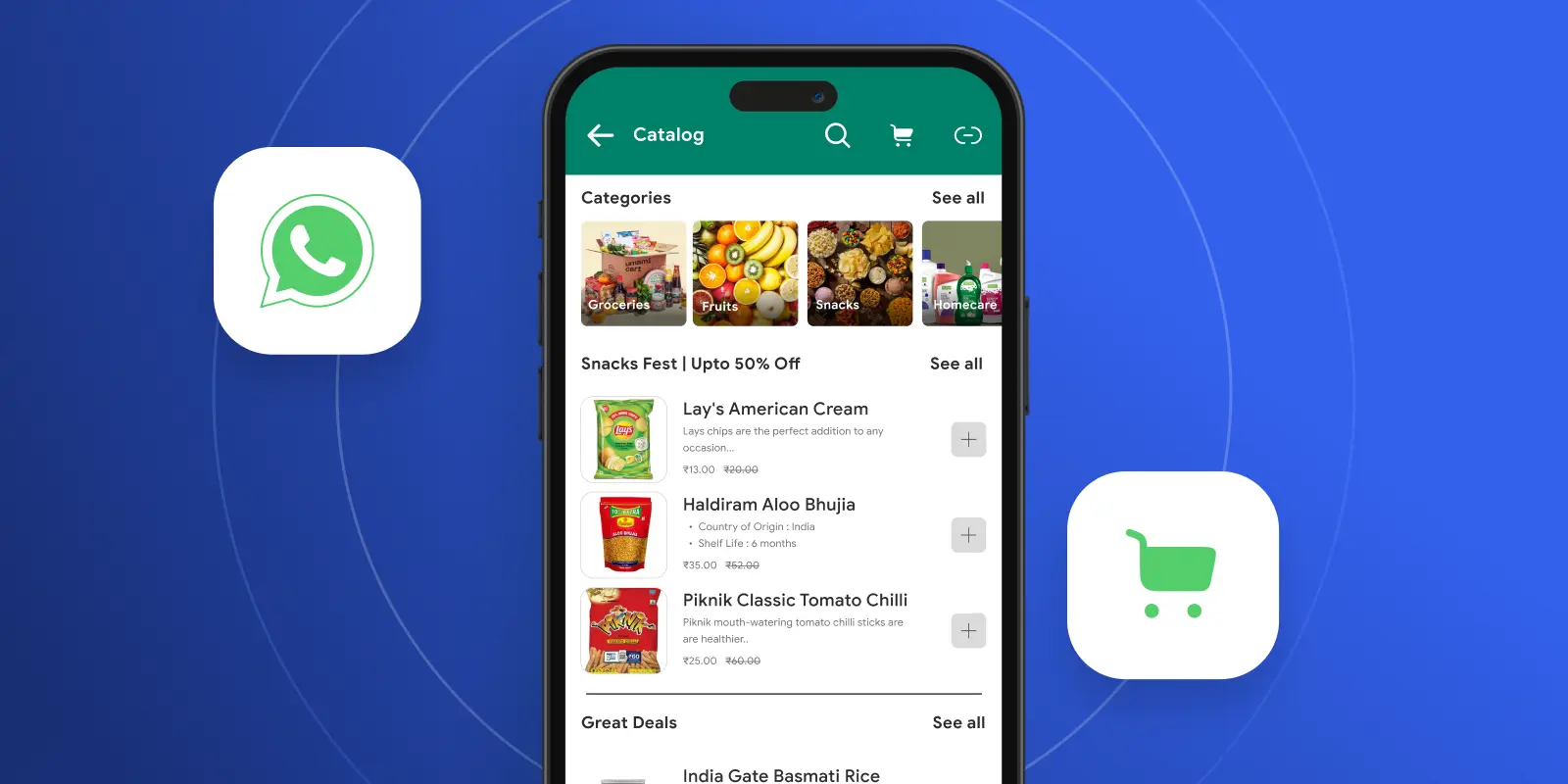
    • Use WhatsApp Business API with a catalog feature
    • Share product catalogs via broadcast messages
    • Send payment links (Razorpay/Cashfree) directly in chat
    • Set up automated flows: customer browses catalog → selects product → receives payment link → order confirmed
    • Tool: Zoko (purpose-built for WhatsApp commerce)

    Channel 2: Instagram Shopping

    • Set up Instagram Shop (connect your Shopify catalog to Instagram)
    • Tag products in posts and stories
    • Use DM automation for product inquiries
    • Run Instagram Shopping ads (product tag ads convert 2-3x better than link ads)
    • Instagram Checkout (where available) allows purchase without leaving the app

    Channel 3: Live Commerce

    • Go live on Instagram/Facebook and showcase products in real-time
    • Share purchase links in live chat as you show each product
    • Create urgency: ‘Only 20 pieces of this design — link in comments NOW’
    • Best for: fashion, jewellery, home decor — visual categories where ‘seeing it live’ adds value
    • Brands doing live commerce report 5-10x higher engagement vs regular posts

    Social Commerce Tech Stack

    NeedToolCost
    WhatsApp commerceZoko or Interakt₹3K-5K/mo
    Instagram shoppingShopify + Instagram integrationFree (included in Shopify)
    Payment linksRazorpay Payment Links2% per transaction
    DM automationManyChat or Chatfuel₹2K-5K/mo
    Live commerceInstagram Live + ShopifyFree

    Expected Revenue from Social Commerce

    Brand SizeSocial Commerce Revenue Potential% of Total Revenue
    ₹5-15L/month total₹50K-2L from social5-15%
    ₹15-50L/month total₹2-8L from social10-20%
    ₹50L+/month total₹8-20L from social15-25%

    Need Help With Social Commerce?

    At Growww Tech, we set up social commerce channels for Indian D2C brands — WhatsApp, Instagram Shopping, and live commerce. Let’s activate your social channels.

    Related reading:

  • Pinterest Marketing for Indian D2C: The Untapped Traffic Source (2026 Guide)

    Pinterest Marketing for Indian D2C: The Untapped Traffic Source (2026 Guide)

    Why Pinterest for Indian D2C?

    Pinterest India has been growing quietly:

    • 60+ million monthly active users in India (and growing 30% YoY)
    • 85% of Pinterest searches are unbranded — people search for ‘ethnic wear for wedding’ not ‘brand name kurta’. This means new brands can compete with established ones.
    • Purchase intent is higher than Instagram — Pinterest users are actively planning purchases (weddings, home renovation, festivals). They’re ready to buy.
    • Content has long shelf life — An Instagram post dies in 24 hours. A Pinterest pin drives traffic for 6-12 months.
    • Zero ad spend required to start — Organic Pinterest traffic is still very achievable for Indian brands.

    Best D2C Categories for Pinterest India

    CategoryPinterest PotentialWhy
    Fashion (ethnic wear, sarees, jewelry)Very HighWedding and festival planning drives massive search volume
    Home decorVery HighHome renovation and decoration inspiration is Pinterest’s sweet spot
    Food/recipesHighIndian recipe content performs extremely well
    Beauty/skincareHighRoutine inspiration, product discovery
    Fitness/wellnessMediumGrowing category but less visual intent
    Electronics/techLowNot a discovery category on Pinterest

    Pinterest Strategy for D2C (Minimum Viable Approach)

    Step 1: Set Up a Business Account (10 Minutes)

    • Convert to Pinterest Business account (free)
    • Claim your website (adds your logo to pins from your site)
    • Enable Rich Pins (automatically pulls product price and availability from your Shopify store)
    • Install Pinterest tag on your Shopify store for conversion tracking

    Step 2: Create 5 Boards Based on Customer Intent

    • Don’t create boards based on your product categories. Create them based on what customers search for.
    • Example for a saree brand: ‘Wedding Saree Ideas’, ‘Festive Outfit Inspiration’, ‘Silk Saree Styling’, ‘Mother of the Bride Outfits’, ‘Saree Blouse Designs’
    • Example for home decor: ‘Living Room Makeover Ideas’, ‘Small Apartment Decor India’, ‘Pooja Room Design’, ‘Diwali Decoration Ideas’, ‘Bedroom Color Schemes’

    Step 3: Pin Consistently (15 Minutes/Day)

    • Pin 5-10 pins per day (mix of your products and repins of related content)
    • Use high-quality vertical images (2:3 ratio — 1000x1500px)
    • Write keyword-rich pin descriptions: ‘Banarasi silk saree for wedding reception. Handwoven in Varanasi. Available in 12 colors. Shop now at [your site].’
    • Add text overlay to images: product name, price, key benefit

    Step 4: Optimize for Pinterest SEO

    • Pinterest is a search engine, not a social network. Treat it like Google:
    • Research keywords using Pinterest’s search bar (type your product and see auto-suggestions)
    • Use keywords in: pin title, pin description, board name, board description
    • Top Indian D2C keywords on Pinterest: ‘ethnic wear’, ‘home decor ideas India’, ‘Indian wedding outfits’, ‘healthy Indian recipes’, ‘skincare routine for Indian skin’

    Expected Results (Realistic Timeline)

    TimelineWhat to Expect
    Month 150-200 monthly impressions. Building foundation — no traffic yet.
    Month 2-3500-2,000 impressions. First organic clicks (10-50/month).
    Month 3-65,000-20,000 impressions. 100-500 clicks/month. First sales from Pinterest.
    Month 6-1220,000-100,000 impressions. 500-2,000 clicks/month. Pinterest becomes a meaningful traffic source.

    Pinterest is a long game. Don’t expect Instagram-like instant results. But the compounding effect is powerful — pins you create today will drive traffic for 12+ months.

    Need Help With Pinterest Strategy?

    At Growww Tech, we set up Pinterest marketing for Indian D2C brands — from account setup to content strategy to Pinterest ads. Let’s tap into this traffic source.

    Related reading:

  • Festival Season Ad Strategy: Meta + Google Budget Guide for Diwali 2026

    Festival Season Ad Strategy: Meta + Google Budget Guide for Diwali 2026

    The Festive Ad Landscape in India

    During September-November, Indian D2C ad costs look very different from the rest of the year:

    MetricNormal PeriodFestive SeasonChange
    Meta CPM₹80-150₹150-300+60-100%
    Google Search CPC₹8-15₹15-30+50-100%
    Meta CPP (cost per purchase)₹300-800₹500-1,200+50-70%
    Conversion rate1.5-2.5%2-4%+30-60%
    Average order value₹1,500-2,500₹2,500-4,000+40-60%

    Costs go up, but so do conversion rates and AOV. The net effect: festive ROAS can be similar to non-festive periods IF you plan your budget correctly.

    Phase 1: Audience Building (August 15 – September 15)

    Goal: Build remarketing pools at low CPMs before the festive rush.

    Meta Ads

    • Budget: 20% of total festive ad spend
    • Campaign type: Traffic + Engagement campaigns (cheaper than conversion campaigns)
    • Creative: ‘Coming soon’ teasers, early-bird signup CTAs, product previews
    • Audience: Broad targeting — let the algorithm find interested people
    • KPI: Cost per landing page view under ₹5. Cost per email/WhatsApp subscriber under ₹15.

    Google Ads

    • Budget: 15% of total festive ad spend
    • Campaign type: Display + YouTube (brand awareness at low CPM)
    • Focus: Remarketing list building. Tag all website visitors.
    • Also start bidding on ‘Diwali gift ideas’ and ‘[category] Diwali sale’ keywords — they’re cheap now but will spike in October.

    Phase 2: Early Conversion (September 15 – October 10)

    Goal: Convert early-bird buyers before CPMs peak.

    • Meta: Switch to conversion campaigns. Target: site visitors, email subscribers, WhatsApp engagers from Phase 1.
    • Google: Launch Shopping campaigns. Ramp up brand keyword bidding.
    • Offer: ‘Diwali Early Access’ — 10-15% discount for subscribers. Creates urgency.
    • Budget: 25% of total festive ad spend
    • Creative: Festive-themed product shots. UGC from last year’s Diwali customers.

    Phase 3: Peak Festive (October 10 – Diwali + 3 days)

    Goal: Maximum conversion at peak demand.

    • Meta: Maximum budget on proven creatives. Broad + retargeting. Increase budget 50-100% on winning ad sets.
    • Google: Max bid on brand keywords + competitor keywords. Shopping campaigns at full budget.
    • Budget: 40% of total festive ad spend (concentrated in 2-3 weeks)
    • Creative rotation: Swap creatives every 3-4 days to combat frequency fatigue at high spend levels.
    • Daily optimization: Review performance at noon and 8pm. Kill underperformers immediately.

    Phase 4: Post-Diwali (Diwali + 4 days to + 3 weeks)

    Goal: Clear inventory, retain festive buyers.

    • Meta: Retarget cart abandoners and festive visitors with clearance offers (30-40% off).
    • Google: Reduce brand keyword bids. Maintain Shopping campaigns at 50% budget.
    • Budget: 15% of total festive ad spend
    • Email/WhatsApp: ‘Thank you for shopping with us’ + next purchase incentive to convert one-time festive buyers into repeat customers.

    Budget Allocation Example

    Total Festive BudgetPhase 1 (Build)Phase 2 (Early)Phase 3 (Peak)Phase 4 (Post)
    ₹1 Lakh₹20K₹25K₹40K₹15K
    ₹3 Lakh₹60K₹75K₹1.2L₹45K
    ₹5 Lakh₹1L₹1.25L₹2L₹75K
    ₹10 Lakh₹2L₹2.5L₹4L₹1.5L

    Need Help With Festive Ads?

    At Growww Tech, we run festive ad campaigns for Indian D2C brands — from creative production to daily optimization during peak Diwali. Start planning your festive campaign now.

    Related reading:

  • UGC Marketing for Indian D2C: How to Get Free Content That Converts

    UGC Marketing for Indian D2C: How to Get Free Content That Converts

    Why UGC Beats Branded Content in India

    Three numbers:

    • UGC ads have 4x higher click-through rates than branded creative (Meta internal data, Indian D2C accounts)
    • 73% of Indian online shoppers say they trust reviews and customer photos more than brand images
    • Brands using UGC as primary ad creative see 40-60% lower cost per acquisition

    The reason is simple: Indian customers are skeptical of polished brand content. A real person using a real product in a real Indian home is more convincing than any studio shoot.

    The UGC Collection System

    Method 1: Post-Purchase Incentive (Best for Starting)

    • Send a WhatsApp message 7 days after delivery: ‘Love your [product]? Share a photo/video and get ₹200 store credit!’
    • Expected response rate: 15-25% (higher for fashion, beauty, food)
    • Pro tip: Ask for a specific format — ‘Show yourself using the product and tell us your honest review in 15 seconds’
    • Cost: ₹200 store credit per piece of content. At 20% margin, this costs you ₹40 in actual product value.

    Method 2: Instagram Repost Program

    • Create a branded hashtag (#MyBrandName or #BrandNameStories)
    • Repost customer content on your brand page (with credit and permission)
    • Feature the best posts in your stories weekly — ‘Customer of the Week’
    • This creates a feedback loop: customers see others featured → want to be featured → create more content

    Method 3: Micro-Influencer Seeding

    • Send free products to 20-30 micro-influencers (1K-10K followers) monthly
    • No payment, no script — just ‘use the product and share your honest experience’
    • Expected content rate: 70-80% will post something
    • Cost per piece of content: Your COGS (₹200-500 for most D2C products)
    • These posts generate authentic content AND drive their followers to discover your brand

    Using UGC in Ads (The Money Play)

    Collecting UGC is step one. The real value is using it in paid ads:

    1. Get usage rights — Always get written permission (WhatsApp message is fine) before using customer content in ads. A simple ‘Can we feature your photo/video in our ads? We’ll credit you!’ works.
    2. Edit for ad format — Add your logo, product name, and pricing as text overlay. Keep it subtle — the authentic feel is the point.
    3. Test UGC vs branded — Run both in your testing campaign. In 90% of cases, UGC wins on CPA.
    4. Rotate frequently — UGC fatigues slower than branded content, but still needs refreshing every 3-4 weeks.

    Legal & Ethical Guidelines

    • Always get permission — Never use customer content without asking. A DM or WhatsApp message asking ‘Can we share this?’ is sufficient.
    • Credit the creator — Tag them in organic posts. For paid ads, at minimum mention ‘real customer review’.
    • Don’t edit meaning — You can crop, add music, and overlay text. Don’t change what the customer said or make it look like they’re endorsing something they didn’t.
    • Respect ‘no’ — If a customer says no, don’t use their content. Period.

    Need Help Building a UGC Strategy?

    At Growww Tech, we build UGC collection systems and create ad strategies around customer content for Indian D2C brands. Let’s build your content machine.

    Related reading:

  • GA4 for Indian Ecommerce: The Setup Guide You Actually Need

    GA4 for Indian Ecommerce: The Setup Guide You Actually Need

    Why Your GA4 Is Probably Useless Right Now

    You installed GA4. Great. But are you tracking:

    • Add to cart events with product value?
    • Checkout step drop-offs (address → payment → confirmation)?
    • Revenue by UTM source (so you know which ads actually drive sales)?
    • Customer LTV cohorts (are January buyers still buying in July)?

    If the answer to any of these is ‘no’, your GA4 setup is giving you vanity metrics, not business intelligence.

    Step 1: Fix Your Data Layer (15 Minutes on Shopify)

    On Shopify, GA4 ecommerce tracking is built-in but incomplete. Here’s what you need:

    1. Enable GA4 in Shopify — Settings → Customer events → Connect Google. This gives you basic page_view, view_item, add_to_cart, begin_checkout, and purchase events.
    2. Add Google Tag Manager (GTM) — For custom events beyond Shopify’s defaults. Install via a custom pixel in Customer events.
    3. Set up enhanced ecommerce events — view_item_list (collection pages), select_item (product click), add_shipping_info, add_payment_info. These fill gaps in your funnel.
    4. Add UTM parameters to ALL ad links — Every Meta ad, Google ad, WhatsApp link, and email should have utm_source, utm_medium, and utm_campaign. Without these, GA4 lumps everything into ‘direct’.

    Step 2: Configure Key Events (Conversions)

    In GA4, mark these events as key events (formerly ‘conversions’):

    EventWhat It TracksWhy It Matters
    purchaseCompleted order with revenueYour north star metric
    add_to_cartProduct added to cartMeasures product interest
    begin_checkoutStarted checkout processIdentifies checkout friction
    generate_leadWhatsApp click, form fill, email signupMeasures non-purchase conversions
    view_itemProduct page viewMeasures product discovery

    Step 3: Build Reports That Matter

    Report 1: Revenue by Traffic Source

    Go to Reports → Acquisition → Traffic acquisition. Add ‘Session source/medium’ as primary dimension. This tells you which channels drive actual revenue, not just traffic.

    Report 2: Funnel Analysis

    Go to Explore → Funnel exploration. Set up steps: view_item → add_to_cart → begin_checkout → purchase. This reveals where customers drop off. If 70% drop between add_to_cart and checkout, your shipping costs or checkout UX need fixing.

    Report 3: Cohort Retention

    Go to Explore → Cohort exploration. Group by first_purchase month. Track purchase events over 90 days. This shows whether your customers come back — the single most important metric for D2C profitability.

    Common GA4 Mistakes in Indian D2C

    • Not filtering internal traffic — Your team browsing the site inflates session data. Set up IP filters in GA4 Admin → Data streams → Configure tag settings.
    • Ignoring cross-device tracking — Indian customers often browse on mobile and buy on desktop (or vice versa). Enable Google Signals for cross-device reporting.
    • Not connecting Google Ads — Link GA4 to Google Ads for conversion import. Without this, Google Ads optimizes on clicks, not purchases.
    • Missing server-side tracking — GA4’s client-side tracking misses 15-25% of events due to ad blockers and iOS restrictions. Set up server-side GTM for accurate data.
    • Too many custom events — Track what you’ll act on. 10 well-configured events beat 50 events nobody looks at.

    Need Help With Analytics Setup?

    At Growww Tech, we set up GA4, GTM, and conversion tracking for Indian D2C brands. If your analytics aren’t giving you actionable insights, let’s fix your measurement stack.

    Related reading:

  • Google Shopping Ads India: Setup, Costs, and Why Most D2C Brands Ignore It

    Google Shopping Ads India: Setup, Costs, and Why Most D2C Brands Ignore It

    Google Shopping ads are the most underused acquisition channel for Indian D2C brands. While everyone fights over Meta ad placements, Google Shopping quietly delivers 3-6x ROAS with lower CPCs and higher purchase intent.

    The reason most brands ignore it: setup is more complex than Meta. You need a product feed, Merchant Center account, and understanding of feed optimization. But once set up, it’s often your lowest-CAC channel.

    How Google Shopping Works

    When someone searches “buy organic face cream online India,” Google shows product ads at the top — with images, prices, and brand names. These are Shopping ads. The customer sees your product, price, and brand before clicking. By the time they reach your website, purchase intent is already high.

    Setup Guide (Step by Step)

    1. Create Google Merchant Center account — Visit merchants.google.com. Verify your website ownership.
    2. Submit your product feed — On Shopify, install the Google & YouTube channel app. It automatically syncs your products. For WooCommerce, use the Google Listings & Ads plugin.
    3. Optimize your feed — Product titles should include: Brand + Product Type + Key Attribute + Material/Color. Example: “GlowBrand Organic Vitamin C Serum 30ml — Brightening” instead of just “Face Serum.”
    4. Link Merchant Center to Google Ads — In Merchant Center settings, link your Google Ads account.
    5. Create a Shopping campaign — In Google Ads, create a Performance Max campaign (Google’s recommended) or Standard Shopping campaign.
    6. Set budget and bids — Start at ₹300-500/day. Use Target ROAS bidding once you have 30+ conversions.

    Google Shopping Costs in India

    CategoryAverage CPCTypical ROASCompetition
    Skincare/Beauty₹5-124-6xMedium
    Fashion/Apparel₹3-83-5xMedium-High
    Electronics₹8-202-4xHigh
    Home & Kitchen₹4-103-5xLow-Medium
    Food & Supplements₹3-84-7xLow

    Compare this to Meta Ads where CPCs are ₹8-25 for most D2C categories. Google Shopping is often 30-50% cheaper per click with higher conversion rates.

    5 Feed Optimization Tips

    1. Include price in title — “Organic Cotton Kurta ₹999” — price in the title catches deal-seekers
    2. Use high-quality images — White background, minimum 800×800px. Google rejects blurry or watermarked images.
    3. Accurate availability — Sync inventory in real-time. “Out of stock” ads waste budget and hurt account health.
    4. Add product ratings — If you have Google Seller Ratings (100+ reviews), they show stars on your Shopping ads.
    5. Use custom labels — Tag products as “best-seller,” “high-margin,” “clearance” to create separate campaigns with different bids.

    At Growww Tech, we manage Google Shopping and Meta ad campaigns for Indian D2C brands — from feed setup to optimization to scaling. Let’s set up your Google Shopping campaigns.

    Related reading:

  • Ecommerce SEO: Why Your Product Pages Don’t Rank (And the 5 Fixes That Work)

    Ecommerce SEO: Why Your Product Pages Don’t Rank (And the 5 Fixes That Work)

    50% of traffic for top Indian D2C brands is now organic. That’s free customers — no ad spend, no CAC, no creative fatigue. While everyone fights over Meta ad placements, the smartest brands are quietly winning on Google.

    But here’s the reality: most Shopify and WooCommerce stores have product pages that Google completely ignores. No meta descriptions, no structured data, duplicate content from manufacturer descriptions, and page speeds that would make a 3G connection look fast.

    Here are the 5 fixes that actually improve your product page rankings.

    Fix 1: Write Unique Product Descriptions (Stop Copying the Manufacturer)

    If your product description is the same text that 50 other sellers have on their listings, Google has zero reason to rank your page. It’s duplicate content.

    What to write instead:

    • Lead with the benefit, not the feature. Not “100% cotton, 200 GSM” but “Soft enough to sleep in, thick enough to last 100 washes.”
    • Include use cases specific to Indian customers. “Perfect for WFH meetings” or “Survives Mumbai monsoon commutes.”
    • Add a mini FAQ at the bottom of every product page (3-5 questions). These capture long-tail searches and often appear as Google featured snippets.
    • Mention size, fit, and comparison in natural language. “Runs true to size. If you wear M in Zara, M here will fit perfectly.”

    Fix 2: Optimize Meta Titles and Descriptions

    Your meta title is the single most important on-page SEO element. Most Shopify stores default to “[Product Name] — [Store Name]” which wastes valuable keyword space.

    Formula for D2C product meta titles:

    [Product Name] — [Key Benefit] | [Brand Name]

    Example: “Organic Vitamin C Serum — Brightens Skin in 14 Days | GlowBrand”

    Meta description formula:

    [What it is] + [Key benefit] + [Social proof] + [CTA]

    Example: “Our best-selling Vitamin C serum with 20% concentration. 4,500+ happy customers. Free shipping on orders above ₹499. Shop now.”

    Fix 3: Add Structured Data (Product Schema)

    Structured data tells Google exactly what your product page contains — price, availability, reviews, rating. This gets you rich snippets in search results (star ratings, price displayed directly in Google), which dramatically increase click-through rates.

    On Shopify: Most modern themes include basic product schema. Use the Plug in SEO app (free) to verify it’s working. For advanced schema, add JSON-LD code to your product template.

    Essential schema properties: name, description, image, price, priceCurrency (INR), availability, review, aggregateRating, brand, SKU.

    Fix 4: Image Optimization (Speed + SEO)

    Product images are often the heaviest element on your page. Unoptimized images slow your site to a crawl — and 53% of mobile visitors leave if a page takes more than 3 seconds to load.

    • Use WebP format — 30-50% smaller than JPEG at same quality. Shopify converts to WebP automatically for most themes.
    • Max 200KB per image — Compress before uploading using TinyPNG or Squoosh.
    • Descriptive alt text — Not “IMG_3847.jpg” but “organic-cotton-blue-kurta-front-view.” This helps Google Image search.
    • Lazy loading — Load images only when they scroll into view. Most modern Shopify themes do this by default.

    Fix 5: Internal Linking Between Product and Blog Pages

    This is the most underused SEO tactic for D2C brands. Your blog posts should link to relevant product pages, and your product pages should link to relevant guides.

    Example: Your blog post “Best Moisturizers for Dry Skin in Winter” links to your moisturizer product pages. Your moisturizer product page links to “How to Build a Winter Skincare Routine” (blog post). This creates a topic cluster that signals expertise to Google.

    Implementation: Add a “Recommended Reading” section at the bottom of product pages with 2-3 relevant blog links. In blog posts, naturally link product names to their pages.

    Bonus: Category Page SEO

    Category pages (“Women’s Kurtas,” “Organic Skincare”) are often your highest-traffic opportunity. Yet most stores have category pages with just product grids and no text content.

    Add a 200-300 word introduction at the top of each category page explaining what makes your collection unique. Include your target keyword naturally. This gives Google text to index and helps your category rank for broad searches like “buy organic skincare online India.”

    At Growww Tech, we help Indian D2C brands build SEO-optimized Shopify stores that rank on Google and drive free traffic. Let’s optimize your store for organic traffic.

    Related reading:

  • Influencer Marketing Reality Check: 42% of Indian Brands Got Scammed by Fake Followers

    Influencer Marketing Reality Check: 42% of Indian Brands Got Scammed by Fake Followers

    “Paid ₹50,000 to an influencer with 100K followers. Got 3 orders. Turns out 30% of their followers were bots.”

    This horror story plays out every week in Indian D2C. An AdAge India study found that 42% of brands reported being scammed by influencers with inflated follower counts. The micro-influencer economy is plagued by bought followers, fake engagement pods, and inflated metrics.

    Here’s how to protect your budget and find influencers who actually drive sales.

    How to Spot Fake Followers (5 Red Flags)

    1. Engagement Rate Below 1% or Above 10%

    Genuine micro-influencers (1K-50K followers) typically have 3-8% engagement rates. Below 1% means most followers are fake. Above 10% on large accounts suggests engagement pods (groups that artificially like/comment on each other’s posts).

    2. Sudden Follower Spikes

    Use tools like Social Blade (free) to check follower growth history. Genuine growth is gradual. A spike of 10K followers in one day = bought followers.

    3. Generic Comments

    Scroll through their comments. If most are “Nice!” “Great post!” “🔥🔥” from accounts with no profile pictures — those are bot comments.

    4. Follower Geography Mismatch

    If the influencer claims to target Indian customers but 40% of followers are from Turkey, Brazil, or Indonesia — those are purchased followers from click farms.

    5. High Followers, Low Story Views

    Ask for their Story view average. Genuine accounts get Story views from 5-15% of followers. An account with 50K followers should get 2,500-7,500 Story views. If they’re getting 500, the follower count is inflated.

    Free Tools to Verify Influencer Authenticity

    ToolCostWhat It Checks
    Social BladeFreeFollower growth history, engagement trends
    HypeAuditor (free report)Free (limited)Audience authenticity score, demographics
    Modash₹5,000/monthFake follower %, audience location, engagement quality
    Manual check (30 min)₹0Comments quality, Story views, growth pattern

    The Micro-Influencer Playbook (₹0-10K Budget)

    Why Micro > Macro for Indian D2C

    Micro-influencers (1K-10K followers) deliver 3-5x higher conversion rates than macro-influencers (100K+) for D2C products. Why? Their audience trusts them more — they feel like a friend’s recommendation, not a celebrity endorsement.

    Finding the Right Micro-Influencers

    1. Search Instagram hashtags relevant to your product. Look for creators already posting about similar products organically.
    2. Check your own followers — existing customers who create content about your category are the best influencers.
    3. Use Instagram’s Creator Marketplace — Meta’s built-in platform for finding and collaborating with creators.
    4. Search YouTube for review videos in your niche with 500-5,000 views — these creators are often open to collaborations.

    The Barter Deal (₹0 Cash)

    For brands under 500 orders/month, barter deals work best: send free product in exchange for an honest review post. DM template: “Love your content about [topic]! I just launched [product]. Would you be open to trying it and sharing your honest experience? No strings attached — keep the product either way.”

    Expected result: 2-5 orders per micro-influencer. 15 creators × 3 orders = 45 orders at a CAC of ₹83 (product cost only).

    Performance-Based Contracts (For Paid Collaborations)

    If you’re paying cash, never pay a flat fee without performance guarantees. Structure deals as:

    • Base fee + performance bonus — ₹5,000 base + ₹200 per order tracked via unique discount code
    • Affiliate model — 10-15% commission on every sale through their unique link. Zero risk for you.
    • Content licensing fee — Pay ₹3,000-8,000 for the content rights, then use it as paid ad creative (often outperforms studio content).

    Always use unique discount codes (CREATOR15) or UTM-tagged links to track exactly how many sales each influencer drives.

    What to Budget for Influencer Marketing

    Brand StageMonthly BudgetStrategy
    0-100 orders/month₹0 (barter only)Send product to 10-20 micro-influencers
    100-500 orders/month₹10K-25K5 paid micro-influencers + 10 barter deals
    500-2,000 orders/month₹25K-75KMix of micro + mid-tier, performance-based contracts
    2,000+ orders/month₹75K-2LDedicated influencer manager, always-on program

    At Growww Tech, we help Indian D2C brands find genuine influencers and build performance-based influencer programs that actually drive sales. Let’s build your influencer strategy.

    Related reading:

  • Meta Ads for Indian D2C: Stop Burning Money (The Complete Playbook)

    Meta Ads for Indian D2C: Stop Burning Money (The Complete Playbook)

    This is the pillar guide. Everything we’ve learned managing Meta ad accounts for Indian D2C brands — from ₹500/day startups to ₹5L/month scaling brands — condensed into one playbook.

    If you’ve read our other Meta ads articles (Why Your Ads Aren’t Working, ₹500/Day Honest Numbers, Google vs Meta Budget Split), this ties it all together into a complete system.

    The State of Meta Ads in India (2026)

    Before diving into tactics, understand the landscape:

    • 260 million Facebook users and 350+ million Instagram users in India
    • Average CPM: ₹80-300 (varies wildly by audience and season)
    • CAC rising 30% year-on-year across Indian D2C
    • 62% of founders report creative fatigue — ads stop working despite higher spends
    • Advantage+ Shopping campaigns are now the default recommendation from Meta
    • Reels placement drives 40-60% of all conversions for most D2C accounts

    Part 1: Campaign Structure That Works

    The 3-Campaign Framework

    Every D2C ad account needs exactly three campaign types:

    Campaign 1: Prospecting (50-60% of budget)

    • Objective: Sales (Purchase or Add to Cart)
    • Audience: Advantage+ Shopping or broad targeting with 1-2 interest signals
    • Creatives: 3-5 top-performing ads
    • This campaign finds NEW customers who’ve never heard of you

    Campaign 2: Retargeting (25-35% of budget)

    • Objective: Sales (Purchase)
    • Audience: Website visitors (7-30 days), Add-to-Cart abandoners, Instagram/Facebook engagers
    • Creatives: Testimonials, specific product reminders, discount offers
    • This campaign converts warm audiences who already know you

    Campaign 3: Testing (10-15% of budget)

    • Objective: Traffic or Add to Cart (lower-cost events for faster data)
    • Audience: Broad
    • Creatives: 3-5 NEW untested creatives per week
    • This campaign constantly finds the next winning creative before your current ones fatigue

    Part 2: Creative Strategy (The Most Important Section)

    In 2026, creative IS targeting. Meta’s algorithm is smart enough to find the right audience — but only if your creative stops the scroll and communicates value in 3 seconds.

    The Creative Mix (Test All Five Formats)

    1. UGC-Style Reels (15-30 sec) — Customer or creator speaking to camera while holding/using the product. Shot on phone, authentic feel. This is the #1 performing format for Indian D2C in 2026.
    2. Founder Story (30-60 sec) — You speaking to camera about why you created the product. Builds trust, especially for new brands.
    3. Before/After (15 sec) — Quick transformation showing the product’s impact. Powerful for skincare, fitness, home improvement.
    4. Problem-Agitate-Solve (15-30 sec) — Hook states the pain (“Tired of your kurta fading after 2 washes?”), agitate (“Most brands use cheap dye”), solve (“We use X technology — here’s the proof”).
    5. Static Carousel — Product images with benefit callouts on each card. Lower CPM, good for catalog-style browsing.

    The 3-Second Rule

    Your video has exactly 3 seconds to stop the scroll. The first frame must either:

    • State a relatable pain point (“₹350 CAC and rising? Here’s what’s wrong.”)
    • Show a surprising visual (unexpected transformation, odd product use)
    • Make a bold claim (“This ₹499 moisturizer outperformed ₹2,000 brands”)

    If your hook doesn’t work, nothing else matters. Test 5 different hooks for every creative concept.

    Part 3: Budget Allocation by Stage

    Monthly BudgetProspectingRetargetingTestingExpected Monthly Orders
    ₹15K (₹500/day)₹10K₹3K₹2K15-40
    ₹50K (₹1,650/day)₹30K₹12K₹8K60-150
    ₹1.5L (₹5,000/day)₹80K₹45K₹25K200-500
    ₹5L (₹16,500/day)₹2.5L₹1.5L₹1L700-1,500

    Part 4: Optimization Checklist

    Daily (5 minutes)

    • Check spend vs budget — any overspend or underspend?
    • Spot any creative with 0 conversions after ₹500+ spend — kill it

    Weekly (30 minutes)

    • Review creative performance: CTR, CPC, CPP (cost per purchase) for each ad
    • Kill creatives below 1% CTR after 3 days
    • Move winning creatives from Testing to Prospecting campaign
    • Launch 3-5 new creatives in Testing campaign
    • Check frequency — if above 2.5, audience is seeing your ad too often

    Monthly (2 hours)

    • Full funnel analysis: impressions → clicks → ATC → checkout → purchase
    • Identify drop-off points (if ATC-to-purchase is below 20%, fix the checkout)
    • Review ROAS by campaign and ad set
    • Adjust budget allocation based on performance
    • Refresh all retargeting audiences

    Part 5: Technical Setup (Don’t Skip This)

    1. Install Meta Pixel + Conversions API (CAPI) — Pixel alone misses 20-30% of conversions. On Shopify: Settings → Customer events → Connect Meta. Takes 10 minutes.
    2. Verify your domain — Required for iOS tracking. Business Settings → Brand Safety → Domains.
    3. Set up Aggregated Event Measurement — Prioritize events: Purchase > Add to Cart > View Content > Page View.
    4. Enable Advantage+ Creative — Lets Meta auto-adjust creative elements (text size, cropping, brightness) for each placement.
    5. Set up exclusions — Exclude purchasers from prospecting (upload customer list monthly). No point paying to reach people who already bought.

    Part 6: Common Mistakes Costing You Money

    • Too many ad sets — At ₹500-2,000/day, run 1-2 ad sets maximum. More ad sets = less data per ad set = slower learning.
    • Changing things too fast — Give campaigns 3-5 days before judging. Daily tweaks reset the learning phase.
    • Ignoring creative refresh — Even winning creatives fatigue in 2-4 weeks. Always have new creatives in the testing pipeline.
    • No retargeting — You’re paying to drive traffic, then letting 95% leave without converting. Retarget them.
    • Optimizing for the wrong event — At low budgets, optimize for Add to Cart (not Purchase) to give the algorithm more data.
    • Not using CAPI — You’re literally flying blind on 20-30% of your conversion data.

    Need Expert Help With Your Meta Ads?

    At Growww Tech, we manage Meta and Google ad campaigns for Indian D2C brands — from strategy to creative to optimization. If your ads aren’t delivering the ROAS you need, get a free ad account audit.

    Related reading: